Some game titles and descriptions are machine translated. Original names remain searchable.
About this game
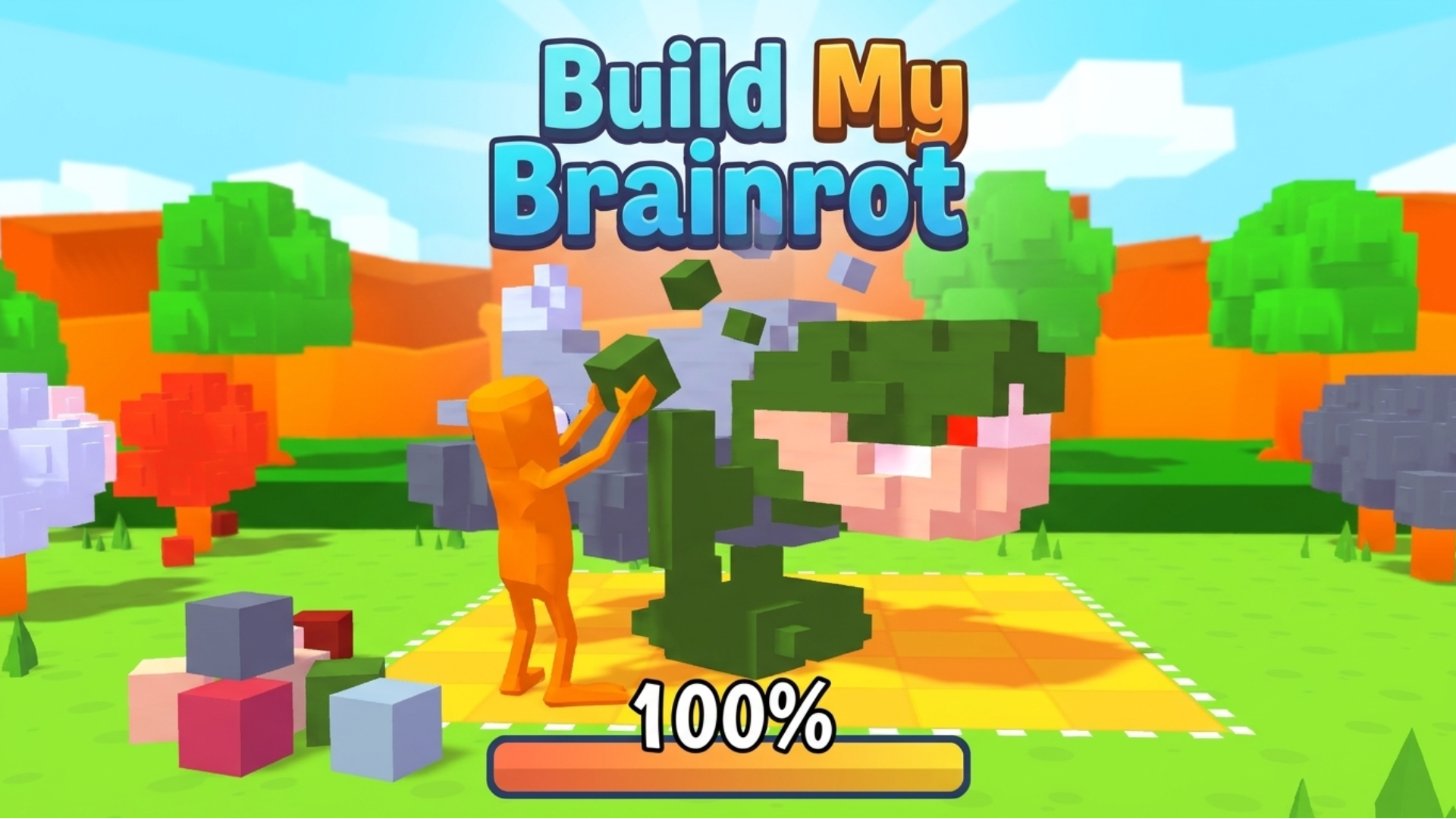
Build My Brainrot is a casual puzzle–simulation game where players collect and place colored blocks on a grid to complete quirky “brainrot” characters. Blending light resource management with creative pattern-building, the game’s core idea revolves around filling shapes efficiently while upgrading abilities like speed and inventory. Its charm comes from its simple controls, humorous character designs, and the satisfying progression of turning scattered resources into complete, animated figures.
How to play
**Complete the Brainrot!** Step into a quirky creative world where your goal is to build hilarious “brainrot” characters by collecting and placing colored blocks onto a grid. In this casual puzzle–simulation game inspired by *Build My Brainrot*, you gather resources scattered around the map and carefully fill the correct tiles to match the character’s shape. Complete the pattern before running out of space, unlock upgrades, and bring each strange creation to life!
**Objective & Win Condition:**
Collect enough colored pieces and correctly place them on the grid to fully complete the character. You win by filling all required tiles accurately before your capacity or available pieces runs out.
**Desktop Controls:**
W / ↑ (Up Arrow): Move upward.
S / ↓ (Down Arrow): Move downward.
A / ← (Left Arrow): Move left.
D / → (Right Arrow): Move right.
E / Left Click: Collect or place blocks.
Shift: Increase movement speed (if unlocked).
**Mobile Controls:**
On-Screen Joystick: Move in all directions.
Tap on Blocks: Collect resources.
Tap on Grid: Place blocks in the correct position.
Upgrade Buttons: Tap to improve speed or inventory size.
Controls and input
- Mouse / click
- Touch input
- Shift
Gameplay elements
These elements are mentioned in the provider’s gameplay instructions. Check the game for the complete rules.
- Movement
- Collecting
- Matching
- Building
- Upgrades
Devices and languages
Build My Brainrot supports Desktop · Mobile. Screen layout: Portrait or landscape. The provider lists 1 in-game languages.
- In-game languages
- English
Browse every game here. The language on each card is a supported in-game language.
Game facts and input labels come from Playgama’s catalog. They describe provider information and are separate from our authored guides.